
HYBRID MICROSOFT ENVIRONMENT SERVICES
Cloud Where It Helps.
On-Premises Where It Matters.
Hybrid Microsoft environments built around your actual
compliance, performance, and cost needs.
A hybrid Microsoft environment combines on-premises infrastructure — servers, Active Directory, or Exchange — with Microsoft’s cloud services like Azure and Microsoft 365, tied together by Microsoft Entra ID for consistent identity. Sourcepass designs and deploys hybrid environments so you can keep sensitive or latency-sensitive workloads on-premises while using the cloud everywhere else.
Talk Through Your Hybrid Strategy Speak with a Microsoft Expert
Not Every Workload
Belongs in the Cloud
Not every business is ready or required to move everything to the cloud.
A hybrid environment keeps certain systems on-premises — often for compliance, performance, or connectivity reasons — while still using Microsoft’s cloud tools for everything else. Done well, it gives you the best of both: cloud flexibility where it helps, and on-premises control where it matters.
What a Hybrid Model Delivers
Flexibility and Scalability: Scale in the cloud on demand without over-investing in hardware.
Security and Compliance: Keep sensitive data and critical apps on-premises, under your controls.
Optimized IT Spend: Cloud for variable workloads, existing hardware for stable ones.
Business Continuity: Distribute workloads and backups across both environments for resilience.
What is a Hybrid Microsoft Environment?
A hybrid environment combines on-premises infrastructure — servers, Active Directory, or Exchange running in your own building or a co-located data center — with Microsoft’s cloud services, most often Azure and Microsoft 365. Microsoft Entra ID ties the two together, providing consistent identity and access management whether a resource lives on-premises or in the cloud.
Common reasons businesses choose a hybrid setup include regulatory requirements that keep certain data on-premises, latency-sensitive applications, existing hardware investments not yet fully depreciated, and workloads that aren’t well suited to full virtualization. Where the goal is to run Azure services on your own hardware specifically, that’s Azure Local.
SOURCEPASS MCOE
Hybrid Environment,
However You Engage It
Through MCOE, Sourcepass's dedicated Microsoft practice, you get specialized Microsoft expertise for hybrid environments, running the full decision and deployment process — from what stays on-premises to how both environments integrate.
Services may be delivered as a standalone Microsoft engagement or as part of a broader Sourcepass managed services relationship.
MCOE services for Hybrid environments are delivered as a Practice Engagement involving specialized Microsoft consulting work for design and integration. Already have a hybrid architecture in hand? MCOE can still make sure the Microsoft licensing across both sides is right — including Windows Server and Azure Hybrid Benefit for existing on-premises licenses.
Licensing and advisory engagements are available on their own, no matter who supports the rest of your IT.
Licensing & Advisory Engagement
Building the environment yourself?
MCOE can still handle the licensing decisions — which model is more cost-effective at your user count, and sizing before you commit. Licensing and advisory engagements are available on their own, no matter who supports the rest of your IT
Practice Engagement
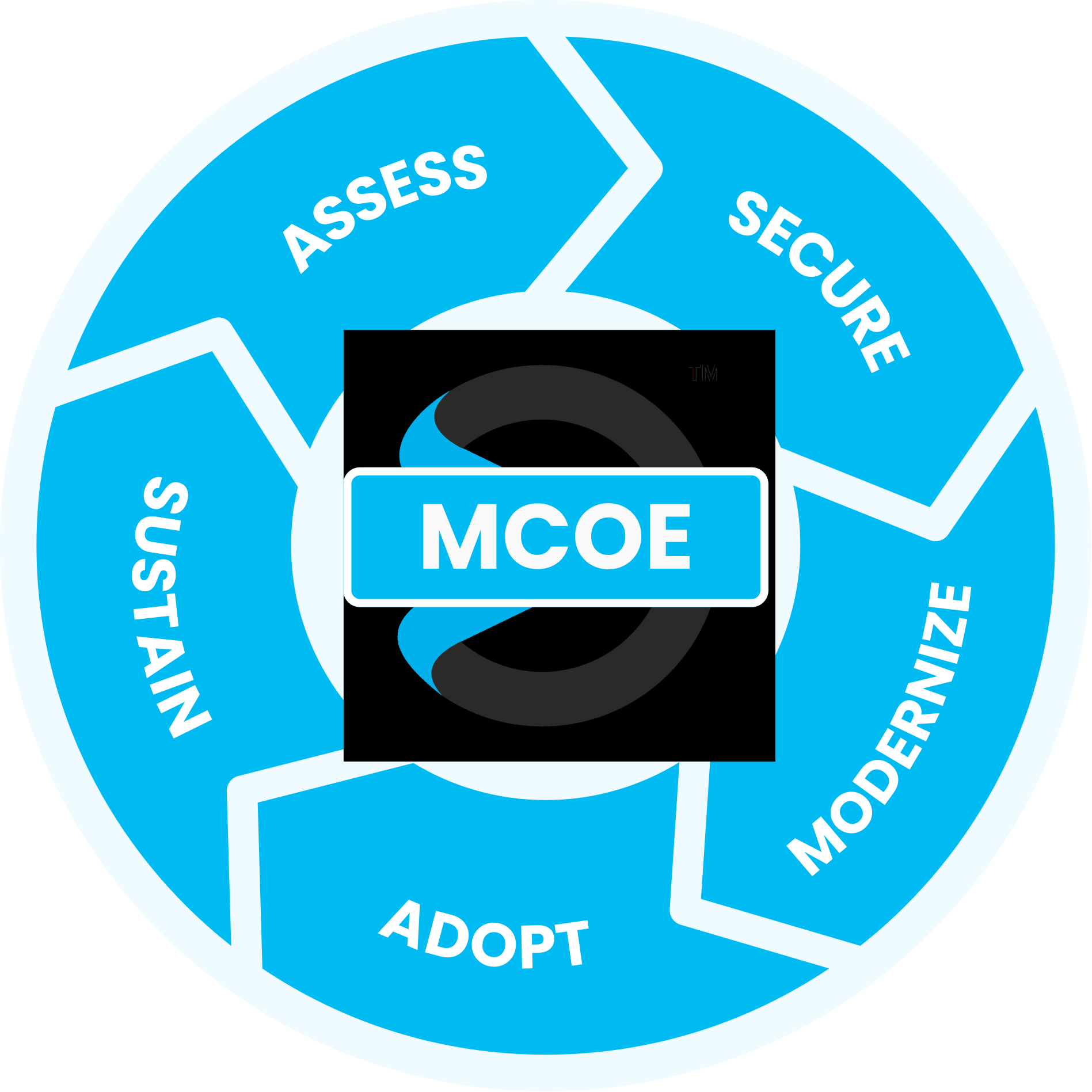
Maximize your Microsoft investment with our proven process
guided by the experts at the Sourcepass Center of Excellence for Microsoft.
Assess: Deciding What Stays and What Moves
Our Assess stage weighs each workload against the criteria that actually determine where it should run — cost and total cost of ownership, scalability, security and compliance, performance and latency, workload type, and how complex your current on-premises management already is.
SPECIALIZED MICROSOFT EXPERTISE
Why Sourcepass MCOE?
Sourcepass MCOE is the dedicated Microsoft practice within Sourcepass, built to help organizations get more from Microsoft.
Every engagement is backed by specialized Microsoft expertise; two Pax8 Global Microsoft Copilot MVP Awards; Microsoft Solutions Partner designations across Security, AI Business Solutions, and Cloud & AI Platforms; and the national resources of one of the country’s top-ranked managed services providers.
Helpful Resources
PLAYLIST
Demystifying Microsoft Podcast: Hybrid IT
Check out our playlist of podcast clips on the latest updates and best practices for Hybrid environment.
DATASHEET
Cloud Where It Helps. On-Premises Where It Matters.
The question isn't whether hybrid is
valid — it's whether the split between cloud and on-premises is actually the right one.
More Hybrid Microsoft Insights
Learn more on how we enable success with our clients, our thoughts on emerging technologies, and how to position your company for growth.
Zero Trust Network Access for Hybrid SMBs
How Nutanix can Solve VMware Licensing and Hybrid Cloud ...
The Future of Hybrid IT Built for Flexibility and Unified ...
Frequently Asked Questions
We evaluate each workload against cost and total cost of ownership, scalability, compliance requirements, performance and latency, workload type, and current management complexity — then recommend where each one runs best.
Yes. Several storage platforms support replicating on-premises data to Azure for backup and disaster recovery, including Pure Storage via Cloud Block Store and CloudSnap.
Yes. Modern firewall platforms can be deployed on-premises and as a virtual appliance in Azure, applying consistent security policies across both.
Using Microsoft 365, Azure Virtual Desktop, and Microsoft Entra ID together, remote teams securely access resources while sensitive data stays under on-premises control where needed.
Rubrik tends to fit cloud-first, automated environments particularly well, while Veeam has broader traditional data-center and virtualization support. The right choice depends on your specific environment.
It depends on your workloads. Hybrid often optimizes cost by using cloud for variable workloads while keeping stable ones on existing hardware.
Hybrid IT tools allow unified management across cloud and on-premises systems, which reduces complexity compared with running them as entirely separate environments.
Yes. Keeping sensitive workloads on-premises while relying on cloud tools for other functions is a common approach for regulated industries.