
DEFEDERATE YOUR GODADDY-MANAGED M365 TENANT
GoDaddy Defederation
to Microsoft 365
GoDaddy defederation is the process of moving a GoDaddy-managed Microsoft 365 tenant to a fully Microsoft-managed one, giving your organization direct access to the Microsoft 365 admin center and native features GoDaddy’s management layer restricts. It isn’t a migration — your mailboxes, files, and accounts stay put; only administrative control changes. Sourcepass handles the whole process, typically in hours.
Start Your Defederation Speak with a Microsoft Expert
GoDaddy Was a Fine Place to Start.
It’s Not Built to Grow With You.
GoDaddy’s Microsoft 365 offering is a common starting point for small businesses — quick to set up, easy to manage.
But GoDaddy “federates” these accounts under its own management layer, which caps what you can do inside Microsoft 365 as your business grows. In fact, GoDaddy now encourages businesses to move to the full Microsoft 365 experience for features like Teams, Teams Phone, and enhanced security.
Defederation removes that management layer. It’s not a migration — your mailboxes, files, and user accounts stay exactly where they are. What changes is who controls the tenant.
What Is GoDaddy Defederation?
Defederation converts a GoDaddy-managed Microsoft 365 tenant into a fully Microsoft-managed one. Instead of GoDaddy sitting between you and Microsoft, your organization gets direct access to the Microsoft 365 admin center — the same control any other Microsoft 365 customer has.
This only affects your Microsoft 365 environment. Your website and DNS services can stay with GoDaddy, or move anywhere else, entirely independent of this process.
What Actually Happens
With proper planning, defederation is typically completed in a few hours, not weeks, using Microsoft’s supported process. A straightforward sequence:
Review Your Current Tenant Setup, Licensing, and User Needs: Including whether to rename the tenant domain if it’s still a default GoDaddy-generated name like netorg123456.onmicrosoft.com.
Set Up the Right Microsoft 365 Licenses: GoDaddy licenses don’t carry over, though in many cases this doesn’t mean paying for more than you already have.
Remove the GoDaddy Federation: Using Microsoft’s supported process (typically a matter of minutes).
Users Reset Their Password and Sign In Again: This is the one visible disruption for your team; mail flow typically continues without interruption (note that some may be prompted to reactivate Office apps).
Gain Full Access: To the Microsoft 365 admin center to configure advanced security and integrate other Microsoft services
What You Gain
What You Gain
Once defederated, capabilities GoDaddy’s management layer restricted become available:
-
Conditional Access and MFA at scale
-
Microsoft Defender for Office 365 (optional add-on)
-
Microsoft Purview compliance and data-governance features
-
Full admin control over users, roles, and permissions, without third-party constraints
-
The ability to add products GoDaddy’s layer blocked, like Teams Phone and Microsoft 365 Copilot
-
Optional full backup of Exchange, SharePoint, OneDrive, and Teams
SOURCEPASS MCOE
GoDaddy Defederation,
However You Engage It
Through MCOE, Sourcepass's dedicated Microsoft practice, you get specialized Microsoft expertise for defederation, pairing the technical work with configuration of the security and compliance controls GoDaddy's layer kept locked.
Services may be delivered as a standalone Microsoft engagement or as part of a broader Sourcepass managed services relationship.
MCOE delivers GoDaddy Defederation as a specialized Microsoft project. Once your tenant is independent, your IT team can run it however they choose. MCOE can still handle the replacement licensing — and a review of what GoDaddy had you on versus what you actually need.

Practice Engagement
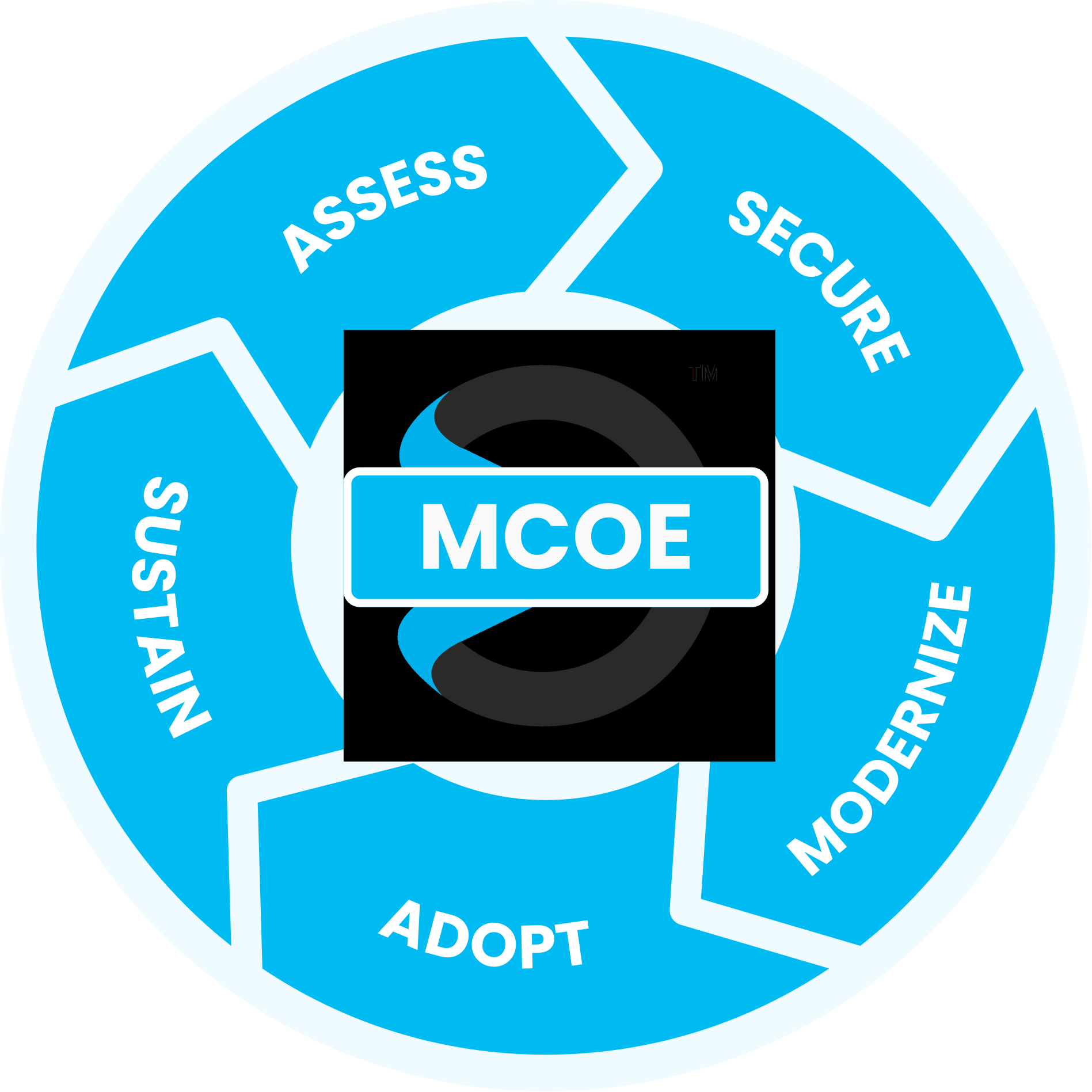
Maximize your Microsoft investment with our proven process
guided by the experts at the Sourcepass Center of Excellence for Microsoft.
Assess
Review your current tenant, licensing, and domain naming
SPECIALIZED MICROSOFT EXPERTISE
Why Sourcepass MCOE?
Sourcepass MCOE is the dedicated Microsoft practice within Sourcepass, built to help organizations get more from Microsoft.
Every engagement is backed by specialized Microsoft expertise; two Pax8 Global Microsoft Copilot MVP Awards; Microsoft Solutions Partner designations across Security, AI Business Solutions, and Cloud & AI Platforms; and the national resources of one of the country’s top-ranked managed services providers.


Helpful Resources
PODCAST
Moving from GoDaddy to M365 Without a Full Migration
Learn what actually happens when an organization moves away from GoDaddy Microsoft 365!
DATASHEET
How It Works: GoDaddy Defederation to Microsoft 365
Get the details on what a GoDaddy Defederation actually involves.
More GoDaddy Insights
What a GoDaddy Defederation is and How it Works
Why GoDaddy Microsoft 365 Defederation is Typically Not a ...
FAQ: GoDaddy’s Microsoft 365 vs. Full Access Microsoft 365 ...
Frequently Asked Questions
No. Defederation doesn’t move or alter your data. Mailboxes, SharePoint content, and OneDrive files all remain exactly where they are — only administrative control changes.
Licenses purchased through GoDaddy don’t carry over and are set up directly with Microsoft or through a Cloud Solution Provider. In most cases this doesn’t mean paying for more licenses than you already have — we review your usage and match the right subscription.
With proper planning, the technical transition can be completed in a matter of hours. The main visible disruption for users is a one-time password reset.
Mail flow typically continues without interruption, though users should expect brief authentication prompts and a one-time password reset.
No. Office and Outlook don’t need reinstalling, though some users may be prompted to sign in again and reactivate after the change.
No. Defederation only affects your Microsoft 365 environment. Your website and DNS can stay with GoDaddy or move independently, on their own timeline.
Full access to the Microsoft 365 admin center — Conditional Access, MFA at scale, Microsoft Defender for Office 365, Microsoft Purview compliance tools, and the ability to add products like Teams Phone and Copilot — none fully available under GoDaddy’s management layer.
If your tenant still uses a default GoDaddy-generated name (like netorg123456.onmicrosoft.com), defederation is a good time to rename it. We review this during the initial assessment.